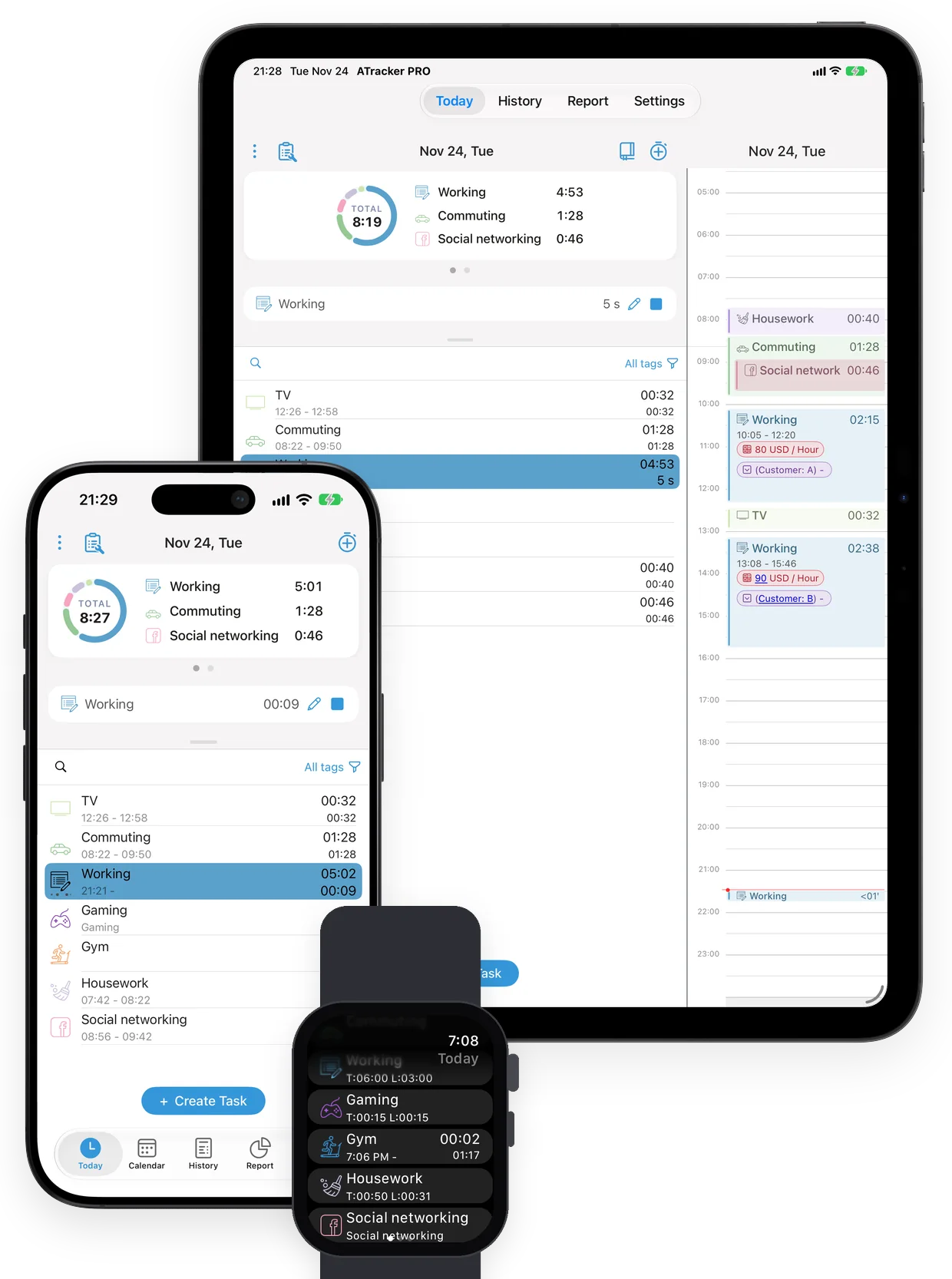
Easy and Powerful
Create a task in seconds, then track it with a single tap. The timer keeps running even when ATracker is closed.
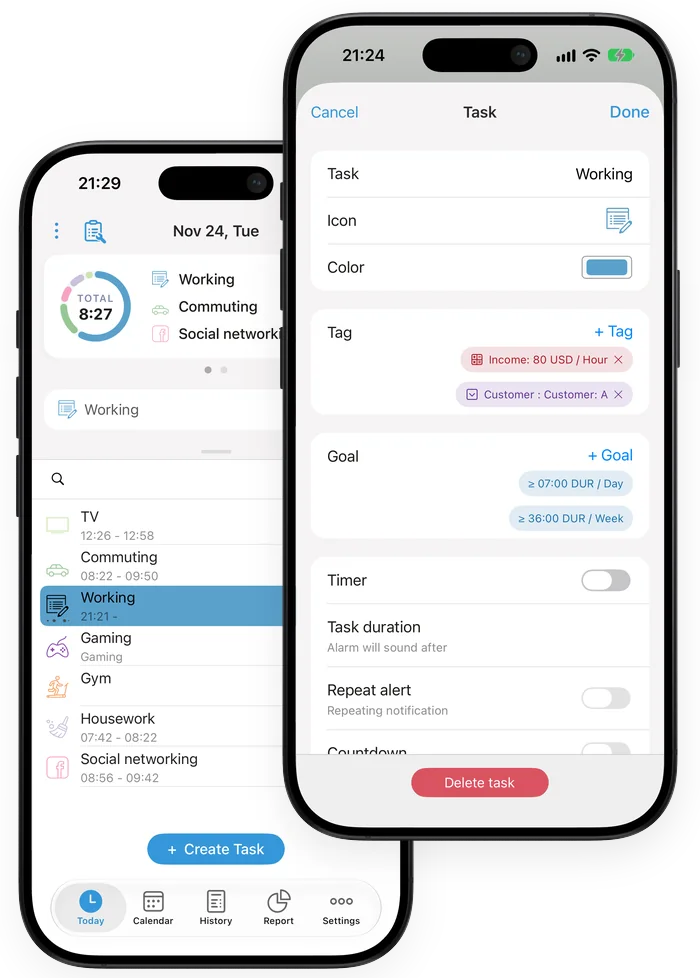
When you need more, add tags and goals. Group tasks by subject, project or client, and follow your progress towards daily and weekly goals.
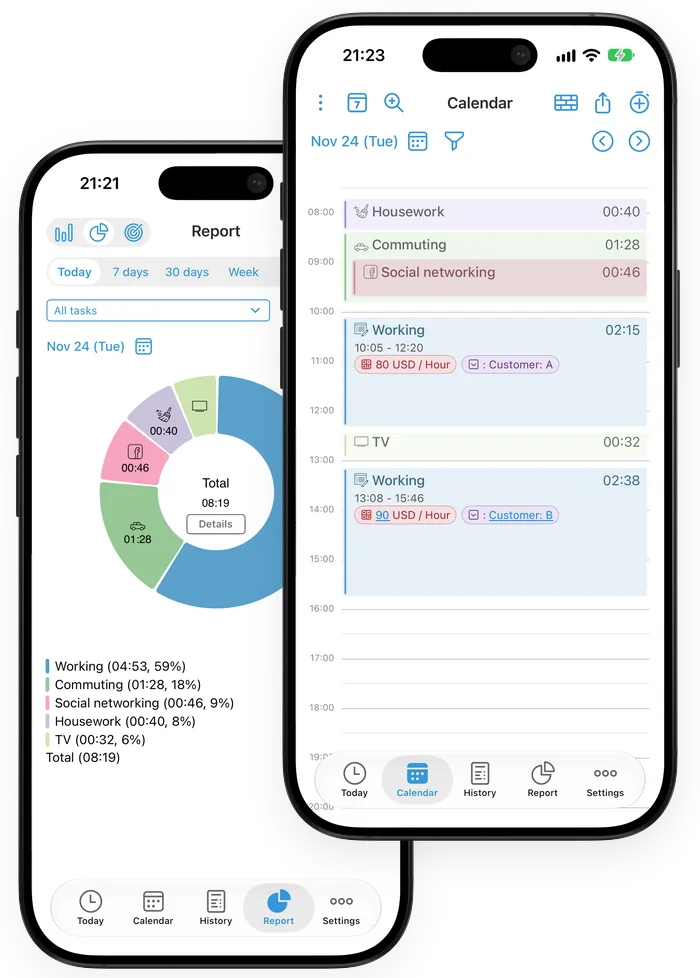
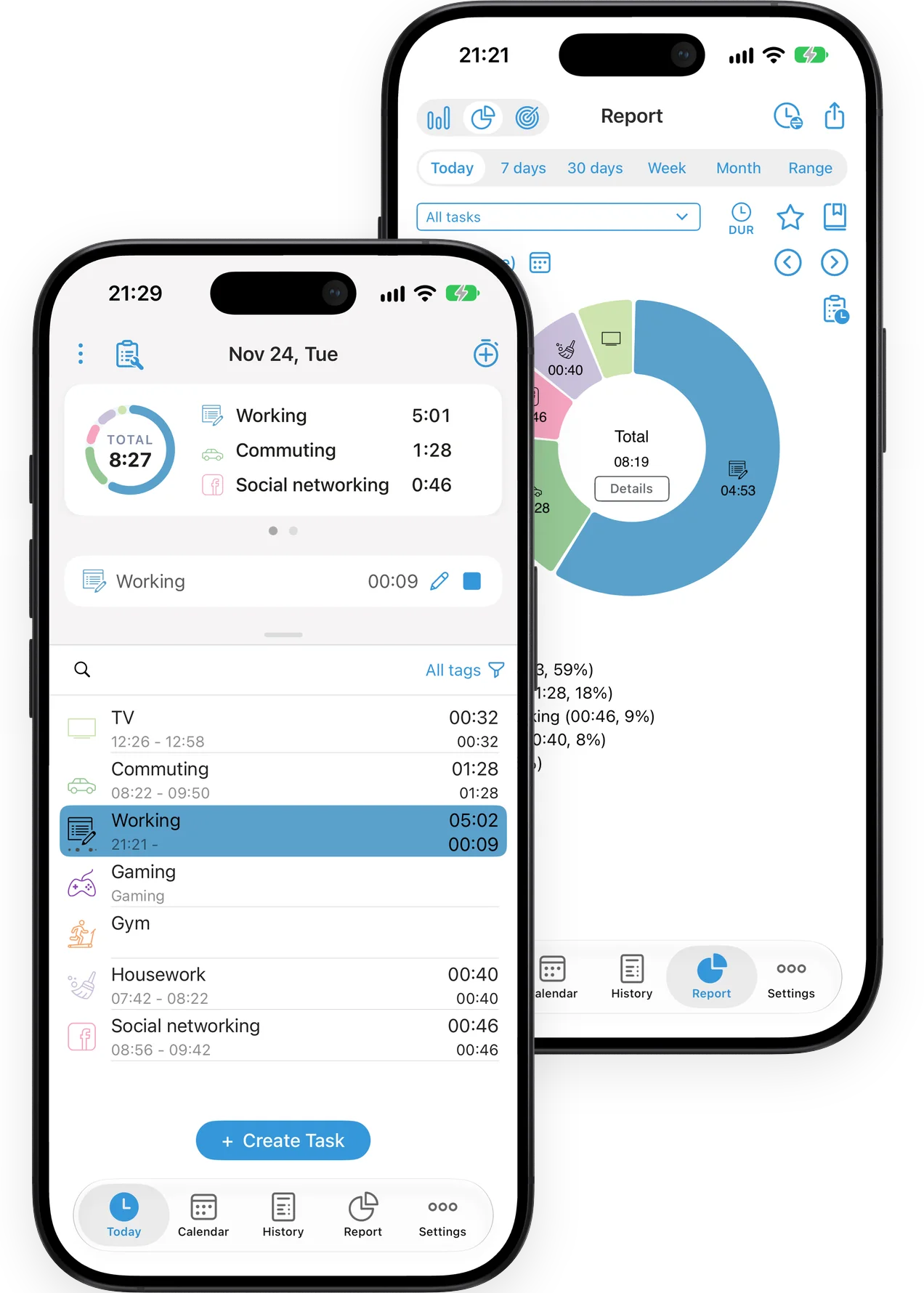
See where your time really goes
Every entry is saved in a list and on a calendar, where you can edit it or add time you forgot to track.
Pie charts, bar charts and goal reports show how your day, week, month or year adds up, and how close you are to your goals.
Export your data to PDF or CSV, or share a report straight from the app.
Key Features
-
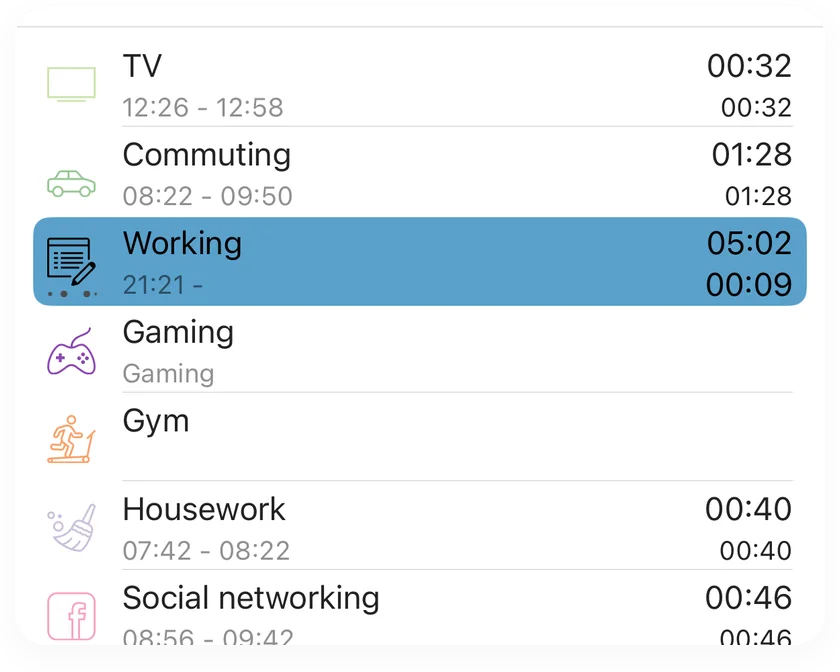
Just one tap
Start and stop a task with one tap. The timer keeps running even when the app is closed.
-
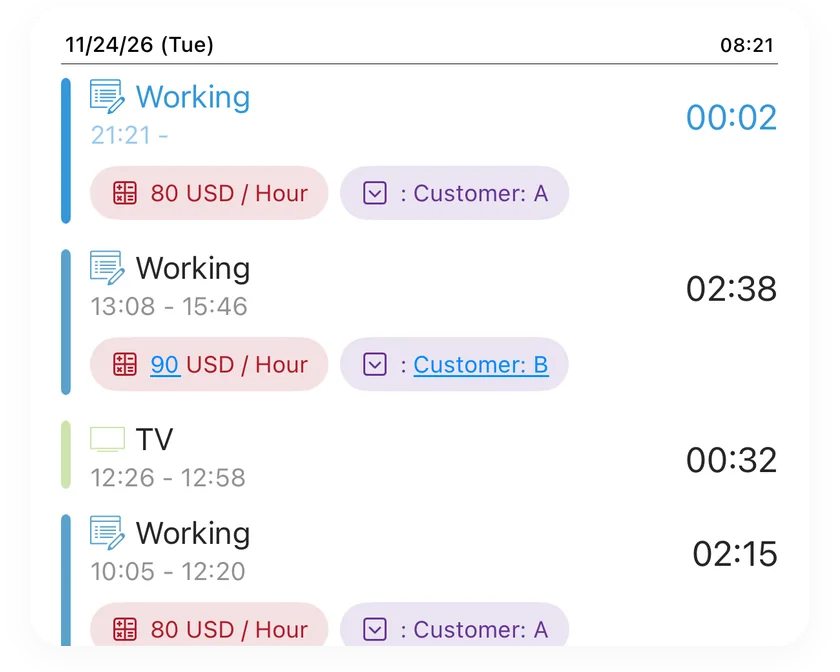
Time spending history
Every entry in a list or on a calendar. Search your history, and add or fix time later.
-
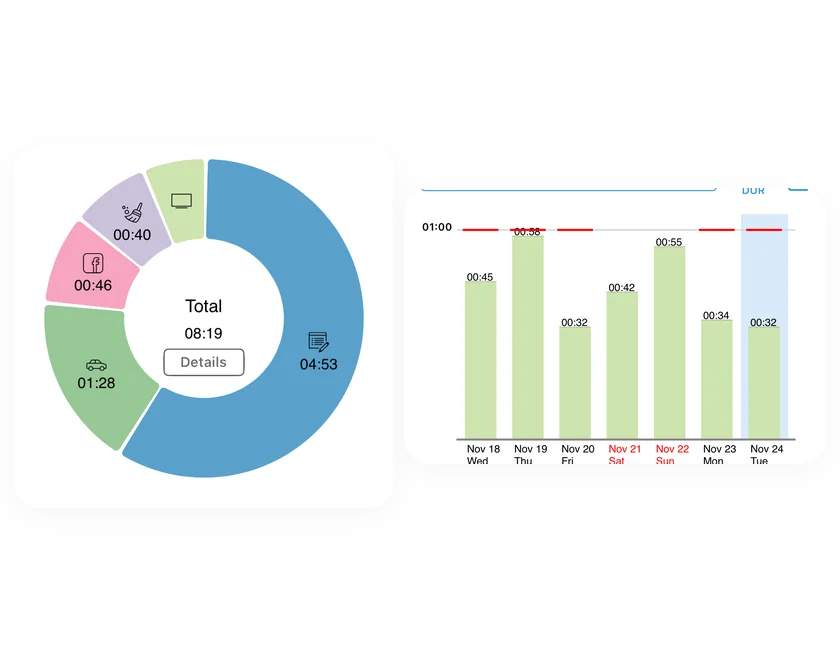
Reporting
Pie and bar charts by day, week, month, year or any range. Export to PDF or CSV.
-
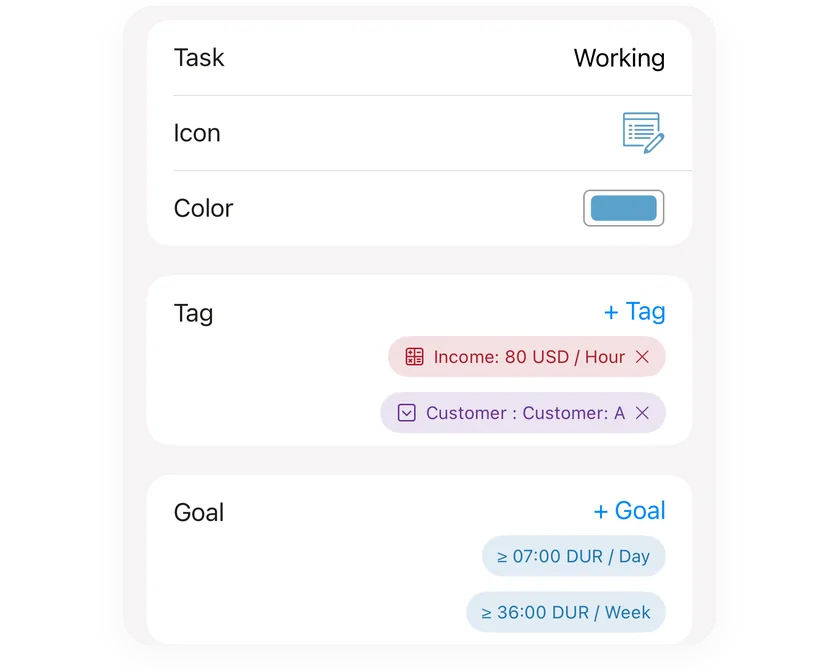
Easy to set up
Create a task in seconds: name, icon, color, tags, goals and alerts.
-
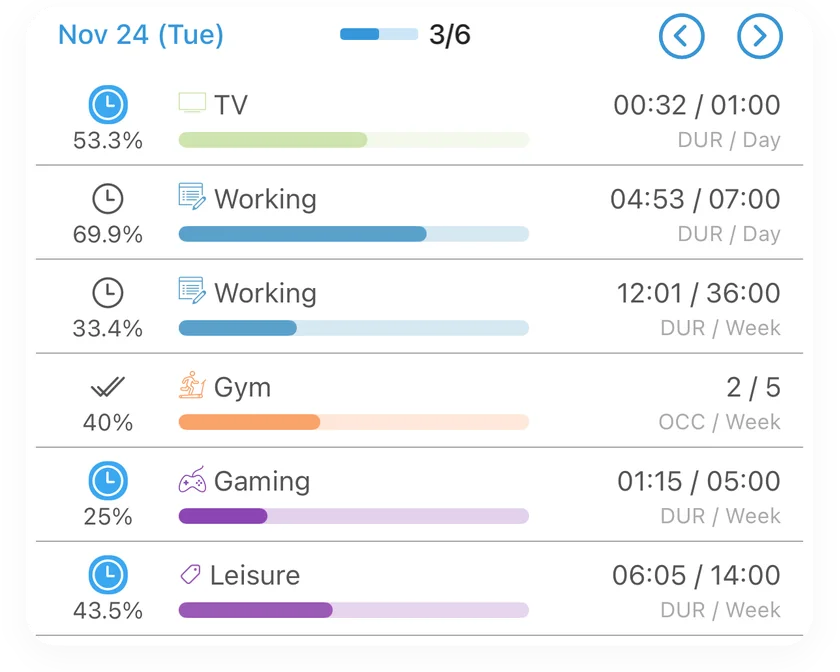
Goals
Daily and weekly goals for tasks and tags: minimums for good habits, limits for the rest.
-
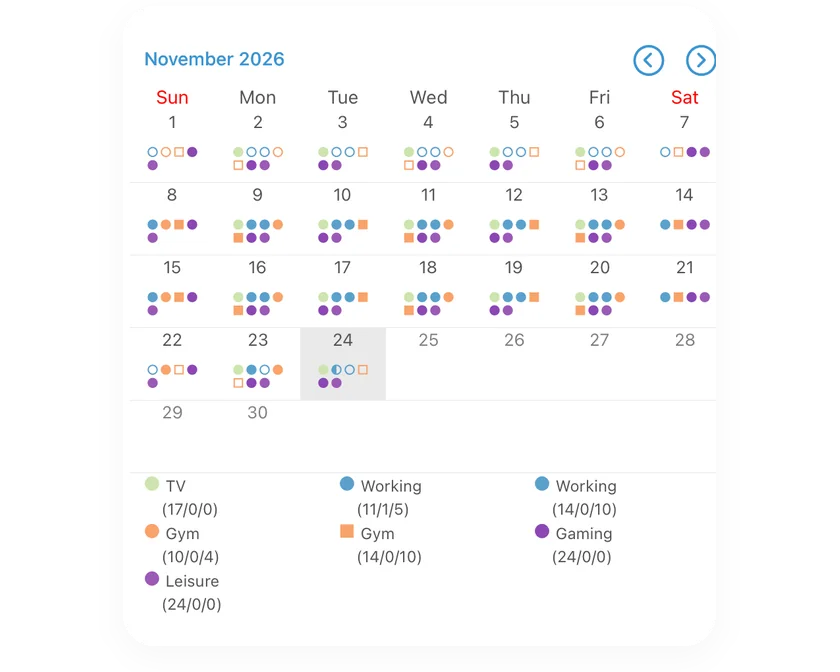
Goal reports
Follow your progress day by day, week by week, and in a monthly overview.
-
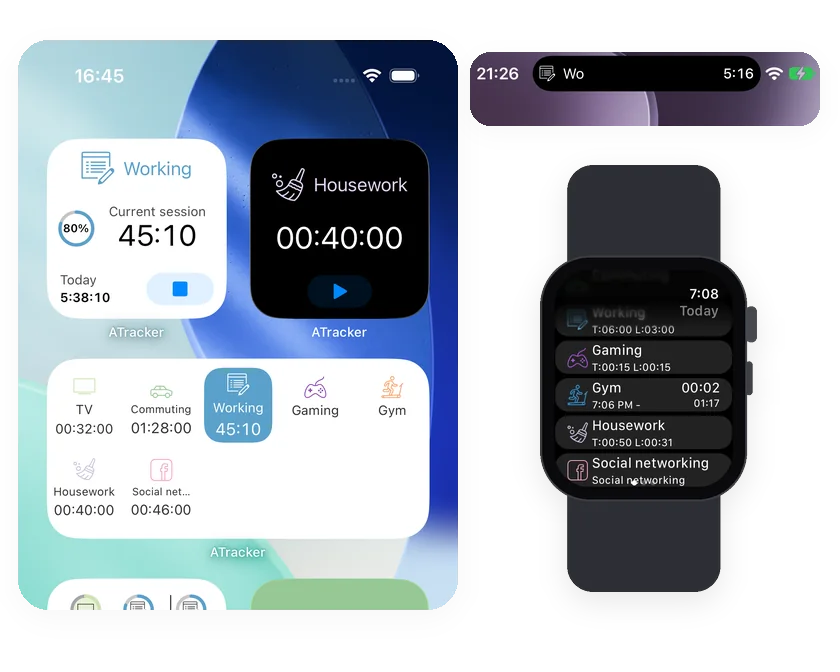
Widgets, Live Activity & Watch
Start and stop tasks from widgets or your Apple Watch, and see the timer in the Dynamic Island.
-
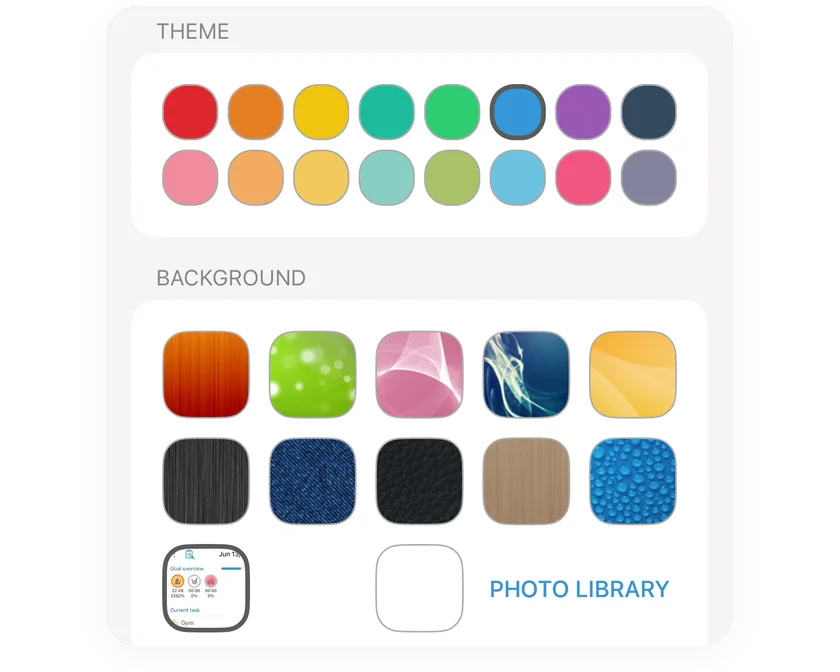
UI customization
Hundreds of icons, color themes and backgrounds, even your own photo.
-
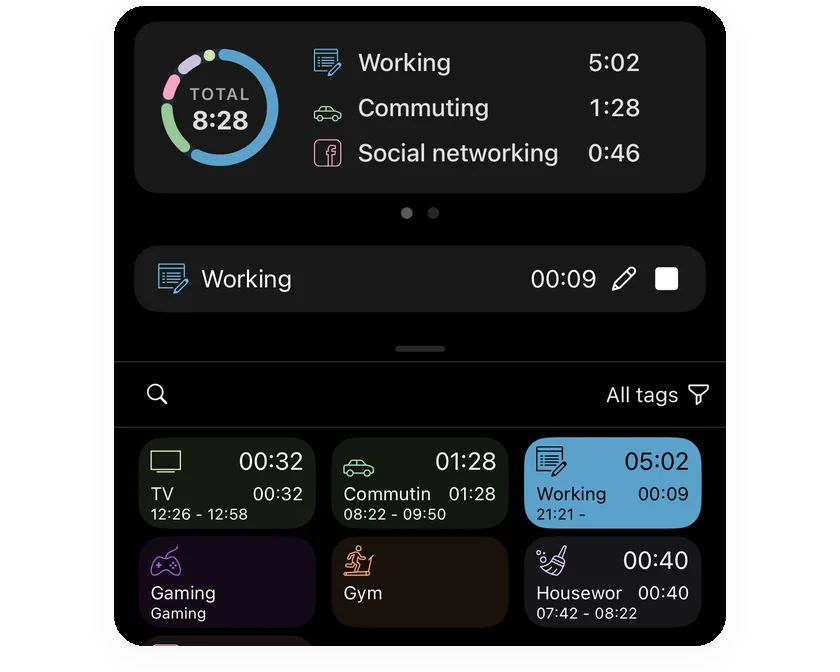
Dark mode
Follows your device, or set it for ATracker alone.
-
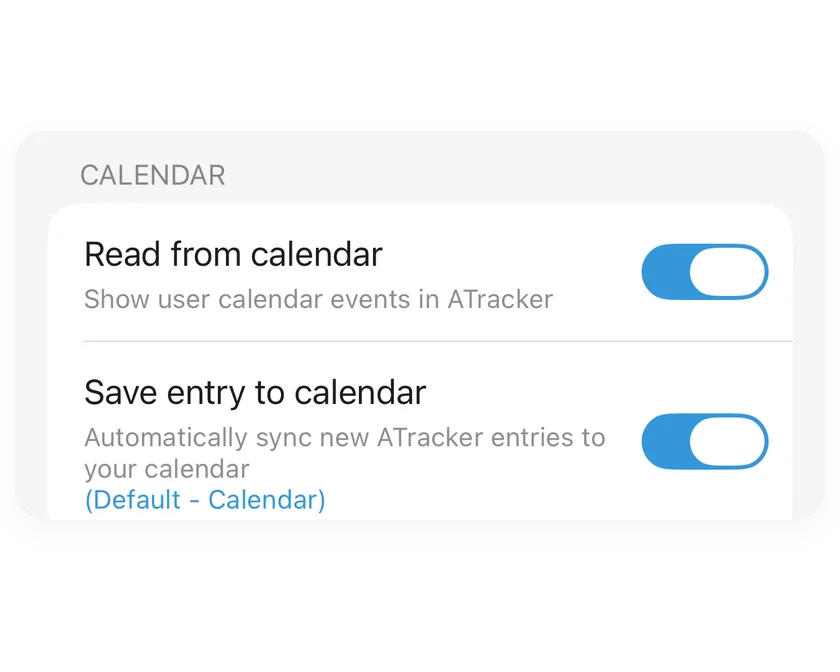
Two-way calendar sync
Save task entries as calendar events or convert calendar events into task entries.
-
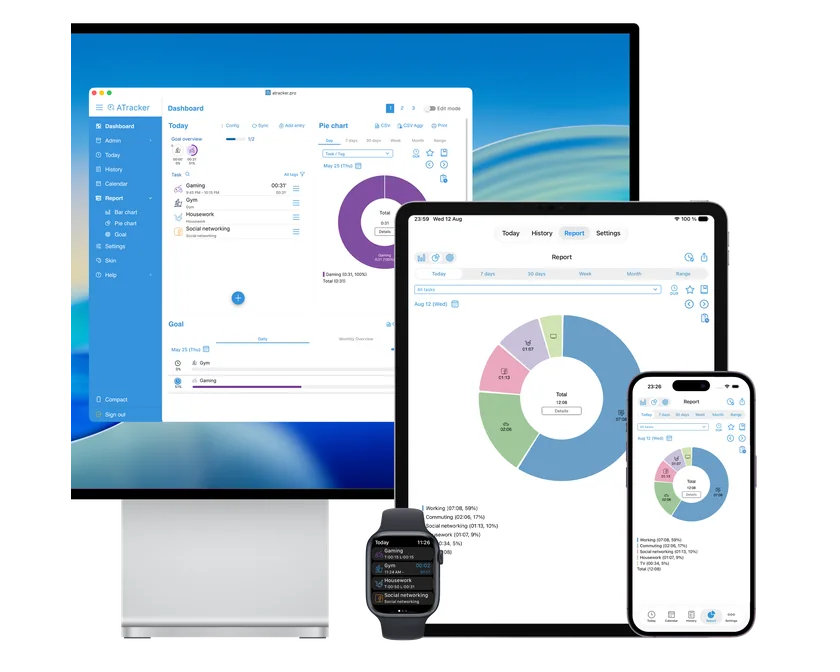
Access from any device
iPhone, iPad, Apple Watch, Android and the web, with Premium sync between them.
-
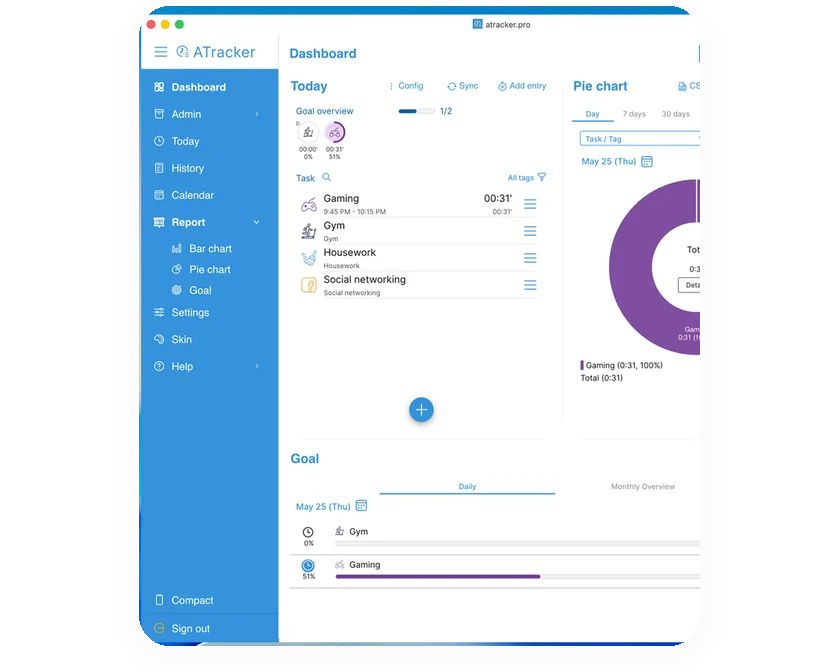
Dashboard in web version
Combine pages (e.g., Home page, history, and reports) as you wish in dashboards.
-
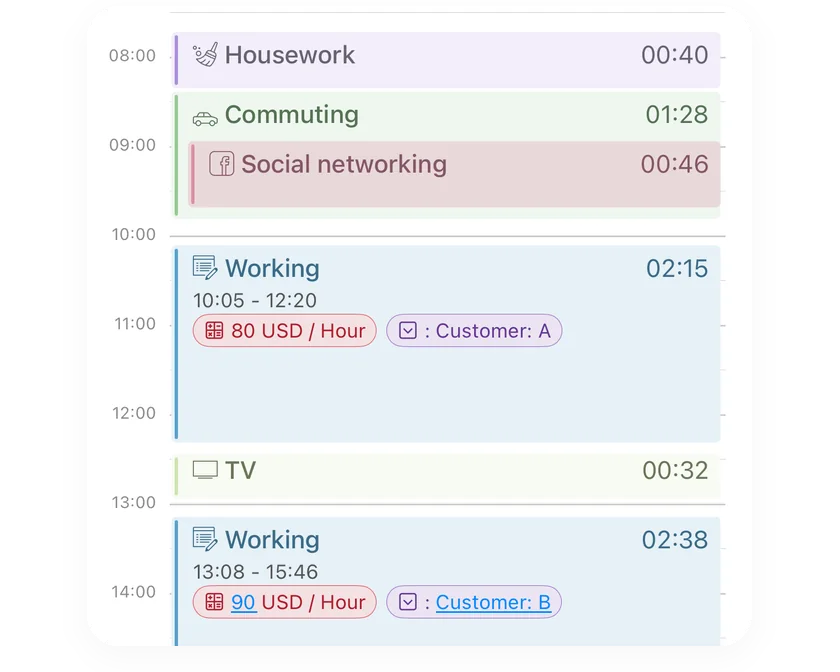
Tags
Sort entries by subject, project or client. Add a number when it helps, like a run’s distance.
-
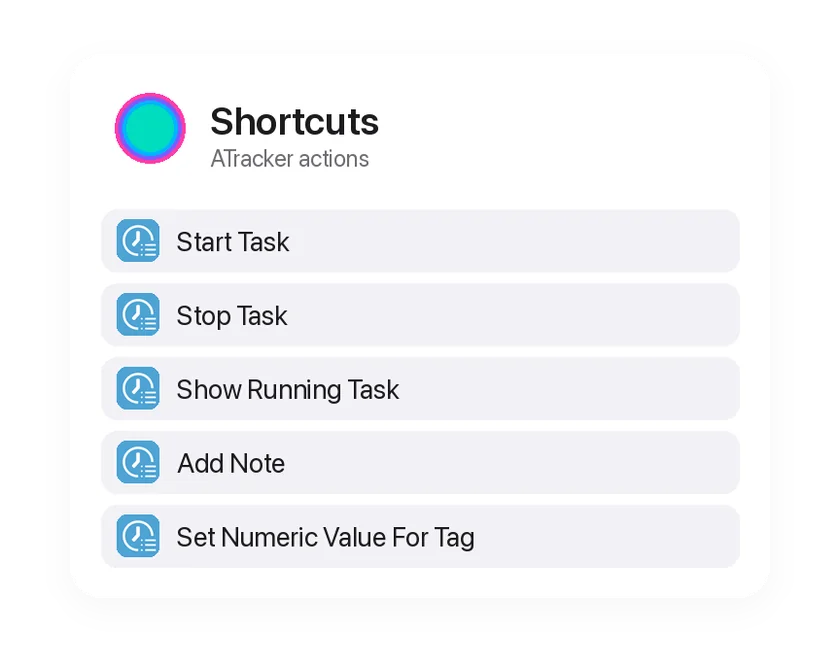
Siri & Shortcuts
Start, stop and check your tasks with Siri or the Shortcuts app.
-
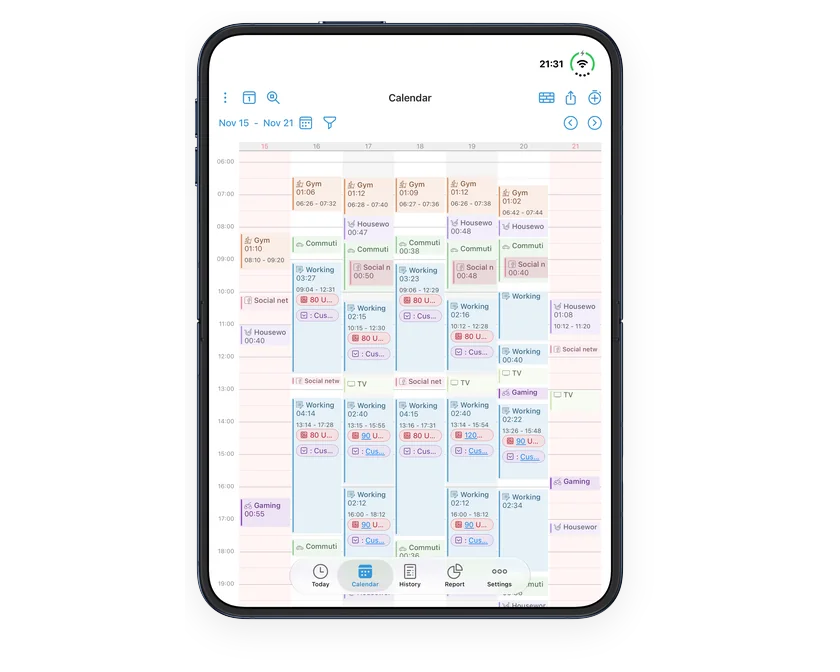
iPhone Duo
Made for iPhone Duo: the cover screen, the open inner screen and the half-open pose.
Testimonials
-
There's a lot to like about ATracker
It lets you combine work and leisure activities, produces some eye-catching reports on how you're spending your time, and is very easy to pick up as well. ATracker is one of the best options for keeping tabs on where the thousands of hours that make up the year are going to go.
-
Simple and effective
In the two months I have used it, I have been able to get to a place where I am spending almost all of my time wisely. From 40+ hours a week playing video games and watching TV, to about 5 and still going down. Obviously that took some doing, but if you are motivated, this is the best app to help you spend ALL of your time well.
-
Best Time Management App
Organize your day — and your life — with this elegant and intuitive app. The ATracker Pro lets you customize your task and activity list, and even the interface itself. An overview of your day’s activities shows you at a glance where you spent most of your time. Set activity timers to stay on schedule, add notes when you need them, group tasks into categories, and view reports in bar and pie charts.
www.Healthline.com


-
Phenomenal time tracking app
It requires a slight learning curve but once you know how to use it, it’s extraordinarily powerful.
My life has vastly improved using this app. I am more laser focused and aware of how my time is spent and can now warn myself when I see myself beginning to waste time. -
Best Time Tracking Apps for iPhone
Great if you’re looking for a simple tracker with no distractions.Time tracking doesn’t come much simpler than this. For personal time tracking, ATracker leaves little to be desired.
-
Best Time Tracking Tool for Outsourcing Marketing Tasks
This free time tracking app does more than just track business and marketing objectives – it let you track your entire life, with a simple iPhone app. At the end of each day, ATracker builds a report that shows how you spent your day. ATracker is great for solopreneurs and freelance marketers who manage themselves or a small team, and who need a time tracking app to hold themselves accountable to daily tasks.
-
Best Goal Setting App
ATracker is all about offering you more insights into how you're spending your time. For repetitive routines, ATracker can help you manage it all so you don't go overboard on the wrong things. Once you start tracking your time for all your daily habits, you'll be able to see a nice breakdown of it all in a pie chart. You can also get a bigger picture look by looking at your breakdown over the past week, past month or other preset range.
-
Best Time Management App for Small Business
If you want a personal customizable app to track your time with clear reporting and also give you guidance on how to be more productive, Atracker is an option. The minimalist UI lets you easily start and stop events, keep notes for each activity entry, set alarms, make simultaneous task entries and export with email.
Pricing
-
ATracker
Free
- Free, with a limited number of tasks
-
Pro
One-time purchase
$4.99 on iOS
$2.99 on Android
- Unlimited tasks
- Advanced settings
- Data export
- Skins
- No ads
-
Premium
$2.99 a month
$26.99 a year
- Unlimited advanced tags
- Unlimited active goals
- Sync with ATracker on iOS, Android and the web
- * Requires the upgraded ATracker or ATracker PRO (iOS)
- ** The subscription is managed on your iPhone, iPad or Android device
Compare plans
| ATracker | Pro (Android) | Pro (iOS) | Premium | |
|---|---|---|---|---|
| Core features | ||||
| Unlimited tasks | Not included | |||
| Data export | Not included | |||
| Skin support | Not included | |||
| Advanced settings | Not included | |||
| Notes on entries | Not included | |||
| No ads | Not included | |||
| Apple Watch | iOS | Not included | iOS | |
| Dropbox sync | Not included | Not included | iOS | |
| Web app | Not included | Not included | Not included | |
| Web sync | Not included | Not included | Not included | |
| Unlimited advanced tags | Not included | Not included | Not included | |
| Unlimited active goals | Not included | Not included | Not included |
Prices exclude taxes that may apply where you live.
Life is precious and so is your time.
One tap to start / stop time tracking, with minimal configuration. Fully customisable user interface. It's a fresh way to organise your day… within a few taps.